Best Budgeting Apps in 2026, Compared Honestly (Free Options First)
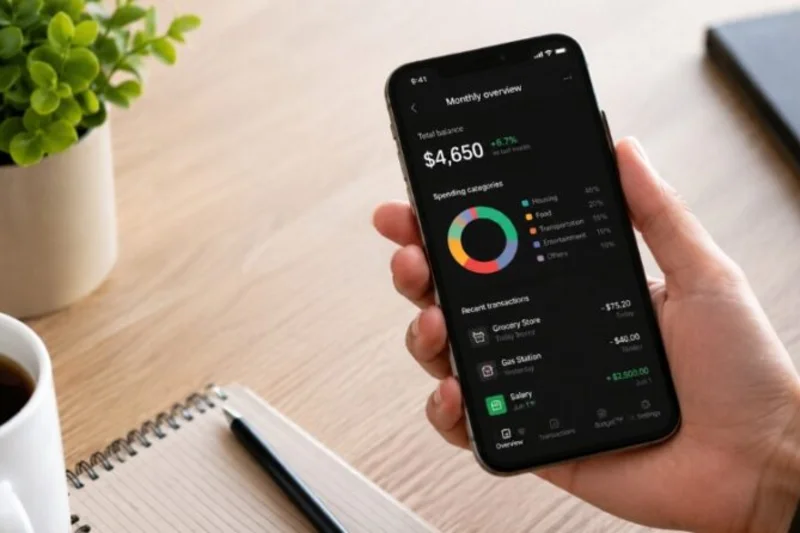
Budgeting apps all promise the same thing — see your money clearly — but they charge very differently for it. Some of the best-known names have no free tier at all, while one genuinely useful app costs nothing. This comparison puts the free options first, uses prices checked in September–October 2026 against providers' own sites and published roundups, and ends with the honest question: whether you need to pay for a budgeting app at all.
The free options, first
Rocket Money has a genuinely free tier: spending tracking plus the subscription detection it is famous for — surfacing recurring charges you forgot you had. For a lot of people, the free tier is the whole product they need.
Goodbudget brings the classic envelope method to your phone, free with a limited number of envelopes. It is manual — you enter spending yourself. Privacy-first users prefer exactly that; everyone else calls it homework.
PocketGuard offers a free, limited tier built around one friendly number: what is "safe to spend" after bills and goals are accounted for.
Empower provides a free dashboard that is excellent for net-worth and investment tracking. The honest caveat: it is a wealth dashboard, not a true budgeting app — it watches your money more than it plans it. That makes it a fine companion to a budgeting app rather than a replacement for one — and for many beginners, the free dashboard alone answers the "where does my money actually go?" question well enough to postpone paying for anything at all.
The paid picks, by use case
Best for zero-based budgeting: YNAB — $14.99/mo or $109/yr. YNAB gives every dollar a job before you spend it. There is no free tier (a 34-day free trial, yes), and it has the steepest learning curve on this list — plan on a few weeks before the method clicks. Devoted users swear it pays for itself, and family sharing covers up to 6 people.
Best for couples and households: Monarch Money (Core) — $14.99/mo or $99.99/yr. Also no free tier (7-day trial). Its strength is shared money: unlimited household logins, so both partners see the same accounts and goals without sharing one password.
Best for subscription hunting: Rocket Money Premium — pay what you want, $7–$14/mo. The premium tier builds on the free tracking and leans into finding and cancelling forgotten subscriptions.
Best for beginners who want it simple: Quicken Simplifi — $6.99/mo billed annually. A clean dashboard, a spending plan and watchlists — without a budgeting philosophy you have to learn first.
Best if you follow Dave Ramsey: EveryDollar. The free version requires manual entry; Premium ($17.99/mo or $79.99/yr) adds bank sync. The entire app is built around Ramsey's Baby Steps, which is either exactly what you want or not your style at all.
Best envelope upgrade: Goodbudget Plus — $10/mo removes the free tier's envelope limits while keeping the manual, privacy-first approach. Best "safe to spend" upgrade: PocketGuard Plus — $12.99/mo expands the free tier around that single spendable number.
| App | Free tier | Paid price | Best for |
|---|---|---|---|
| Rocket Money | Yes | Premium $7–$14/mo, pay what you want | Finding forgotten subscriptions |
| YNAB | No — 34-day trial | $14.99/mo or $109/yr | Zero-based budgeting |
| Monarch Money | No — 7-day trial | $14.99/mo or $99.99/yr | Couples and households |
| Quicken Simplifi | No | $6.99/mo billed annually | Simple, beginner-friendly tracking |
| EveryDollar | Yes — manual entry | Premium $17.99/mo or $79.99/yr | Ramsey Baby Steps followers |
| PocketGuard | Yes — limited | Plus $12.99/mo | One "safe to spend" number |
| Goodbudget | Yes — limited envelopes | Plus $10/mo | Envelopes, privacy-first |
| Empower | Yes — dashboard | — | Net-worth and investment tracking |
Do you even need to pay?
Honest answer: many people do not. An app earns its fee when it changes behavior — catching subscriptions you forgot, keeping a shared household budget in sync, making a zero-based plan stick. If you have not tried a free system yet, start there. Our free tools hub runs the core calculators right in your browser. The 50/30/20 budget gives any app — or a plain spreadsheet — a structure to enforce. And if your pay changes every month, read the irregular income budget method first: no app fixes a plan built on the wrong month's income. Pay for an app when a specific paid feature solves a problem you actually have. Not before.
Bank sync or manual entry? The real trade-off
Underneath the brand names, every app on this list makes the same trade in one of two directions. Bank-sync apps (Rocket Money, Monarch, Simplifi, EveryDollar Premium) import your transactions automatically. Budgeting takes minutes a week, and nothing slips past you — but you are connecting your bank credentials through a third-party service, and miscategorized transactions still need a human glance. Manual apps (Goodbudget, EveryDollar's free tier) make you type every purchase. That friction is either the feature or the dealbreaker: entering a purchase by hand forces a half-second of awareness that automatic tracking never does, which is why envelope purists refuse to automate, and why everyone else quits manual entry by February. Neither is morally better. Pick the one whose weekly workload you will still be doing in six months — a budgeting app only works in the months you actually open it.
How to trial a paid app without wasting money
Trials exist so you can test fit, and the two trials here are very different: YNAB gives you 34 days — long enough for a full paycheck cycle and a monthly rollover — while Monarch gives you 7 days, which is barely enough to connect accounts and invite your partner. Use trials in order, not in parallel, and judge each on one question: did it show me something about my money I did not already know? Set a phone reminder for two days before any trial ends; an app you forgot to cancel is the most ironic subscription of all. And note the arithmetic of commitment: YNAB's $109 a year works out to roughly $9 a month, so the honest test is whether the method saves or redirects more than that — for people it clicks with, it usually does; for people it does not, no discount would make it worth it.
Frequently asked questions
What is the best completely free budgeting app?
Rocket Money's free tier is the strongest no-cost starting point for automatic tracking and finding subscriptions. Goodbudget's free tier is the pick if you prefer manual envelopes and no bank connection at all.
Is YNAB worth $109 a year?
Only if you use its zero-based method consistently — the method is what you are paying for. Take the full 34-day trial across at least one real paycheck cycle before deciding; if the method annoys you, Monarch or Simplifi will fit better.
Which app is best for couples?
Monarch Money, because unlimited household logins let both partners work from the same live picture instead of one shared login and a lot of screenshots.
Do budgeting apps connect to my bank safely?
The paid tiers here use established bank-sync providers, and read-only access is the standard arrangement. If that still bothers you, manual apps like Goodbudget and EveryDollar's free tier need no connection at all.
Can a spreadsheet do the same job?
For a simple budget, yes — a spreadsheet plus the 50/30/20 split covers the basics for free. Apps earn their money on automatic transaction imports, alerts and shared access, not on arithmetic.
Get the free Budget Planner
One short, honest email a week with the newest guides and tools — plus the printable Budget Planner (a 50/30/20 worksheet and a 4-week spending tracker) as a welcome gift. No spam, unsubscribe anytime.
You’re in! Thanks for joining — your first email lands this week.
Your planner is ready — download it here